Episteq · software for technical practice
Episteq turns technical knowledge into practical capability.
Episteq builds tools and learning resources that turn technical knowledge into practical capability. Its first product is Packet Pilot, a workbench for network engineering practice.

01 · Proposition
What Episteq does
Episteq designs software and learning resources that help people move from understanding a technical subject to working in it with confidence and precision.
1.1
Start from a real task
Each product and resource leads to something the user can do, not only information to recall.
1.2
Build in practice
Products favour doing over reading: a workbench to build in, configurations to check, steps to repeat.
1.3
Describe it honestly
Release status is stated plainly, and planned features are not presented as available.
02 · Current product
Packet Pilot by Episteq
A network engineering workbench. Build a topology, prepare its configuration, and practise the task in one place.
-
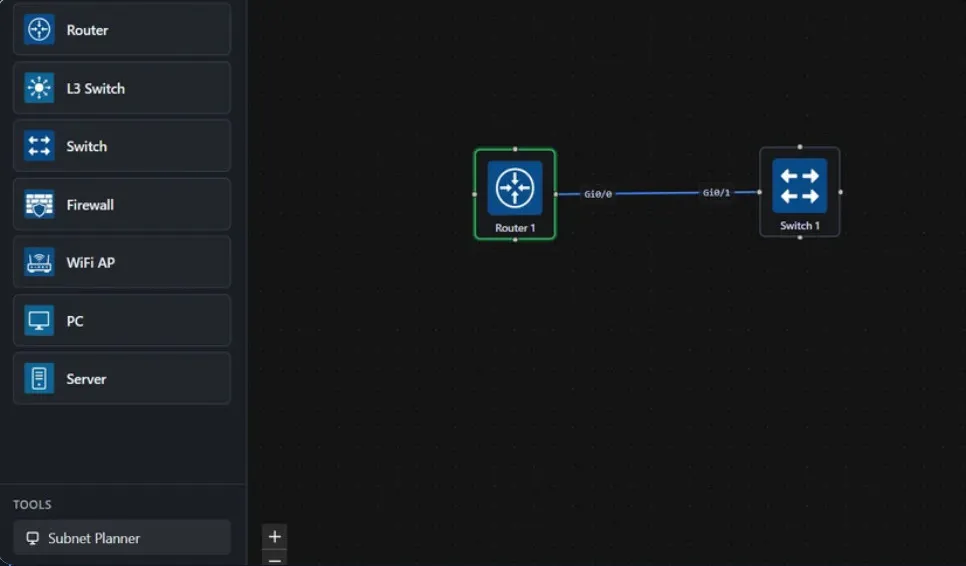
Step 1
Device palette
Router, L3 Switch, Switch, Firewall, WiFi AP, PC and Server, with a Subnet Planner under Tools.
-
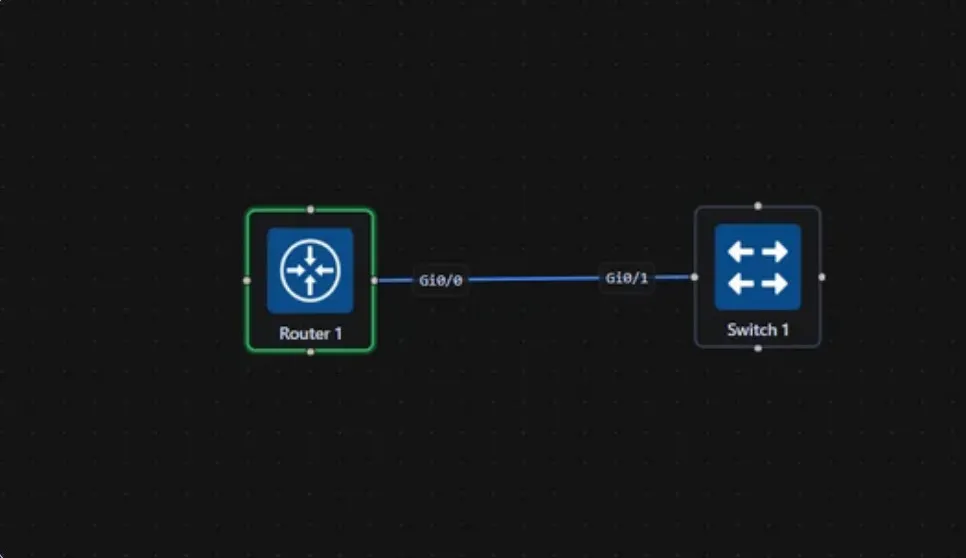
Step 2
Topology canvas
Place devices and link their interfaces — here, Router 1 Gi0/0 to Switch 1 Gi0/1.
-
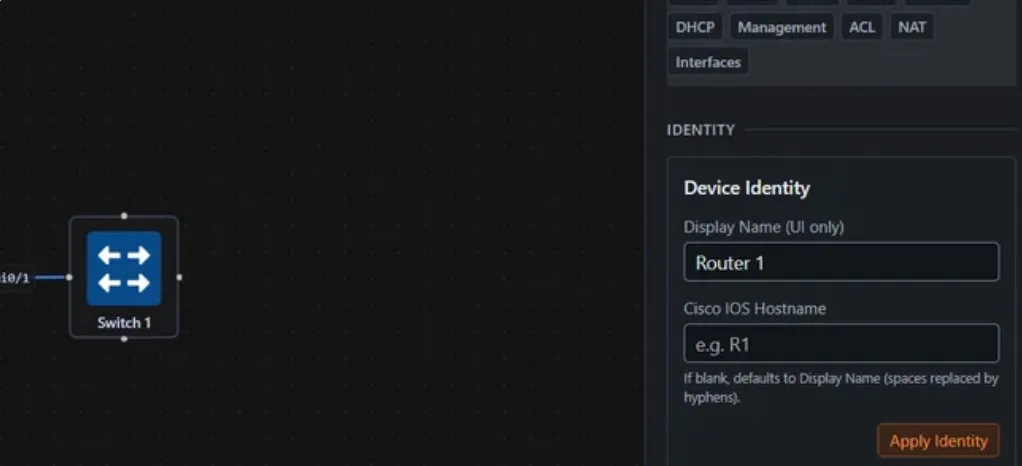
Step 3
Device configuration
Sections for Identity, Security, IPsec, IPv6, routing, DHCP, Management, ACL, NAT and Interfaces.
-
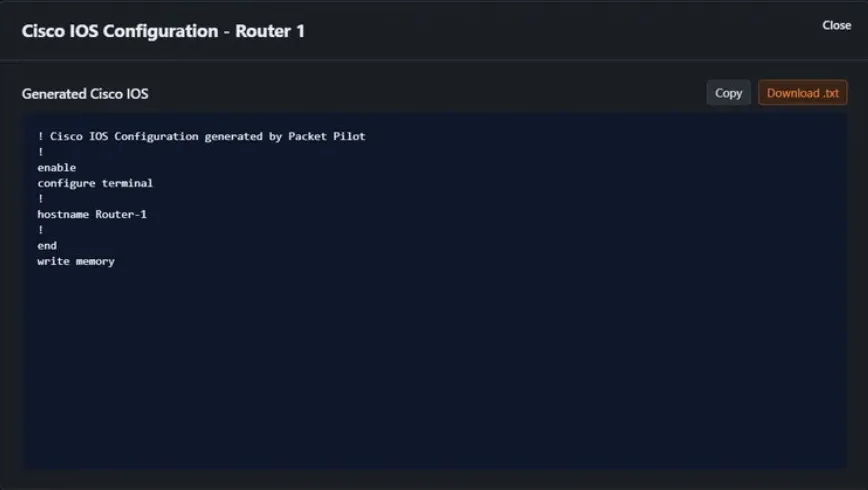
Step 4
Generated configuration
The Cisco IOS configuration for the device, ready to copy or download as .txt.
Recorded walkthrough
VLAN configuration demo
A recorded walkthrough of Packet Pilot on YouTube. The player loads only when you press play.
youtube.com · loads on play
Packet Pilot — VLAN configuration
03 · Audience
Who Episteq serves
Students
Practise the work, not just the theory — with tools built for real technical tasks.
Educators
Make practical teaching easier to prepare, run and repeat.
Technical professionals
Work more precisely with tools grounded in real engineering practice.
04 · Standard
How Episteq works
If Episteq makes it, it is built to be used: technically accurate, practical in purpose, and honest about what it does.
Built from real teaching and engineering practice.
Read the principlesStart with Packet Pilot.
Download the workbench for Windows 10 or 11, or write to Episteq with a question.