Packet Pilot by Episteq
BetaPacket Pilot is a practical network engineering workbench.
Packet Pilot by Episteq is currently in beta with selected users.
Download Packet Pilot Download link not yet published Purchase a Licence

Build a topology, prepare its configuration, and practise the task — in one workbench.
-
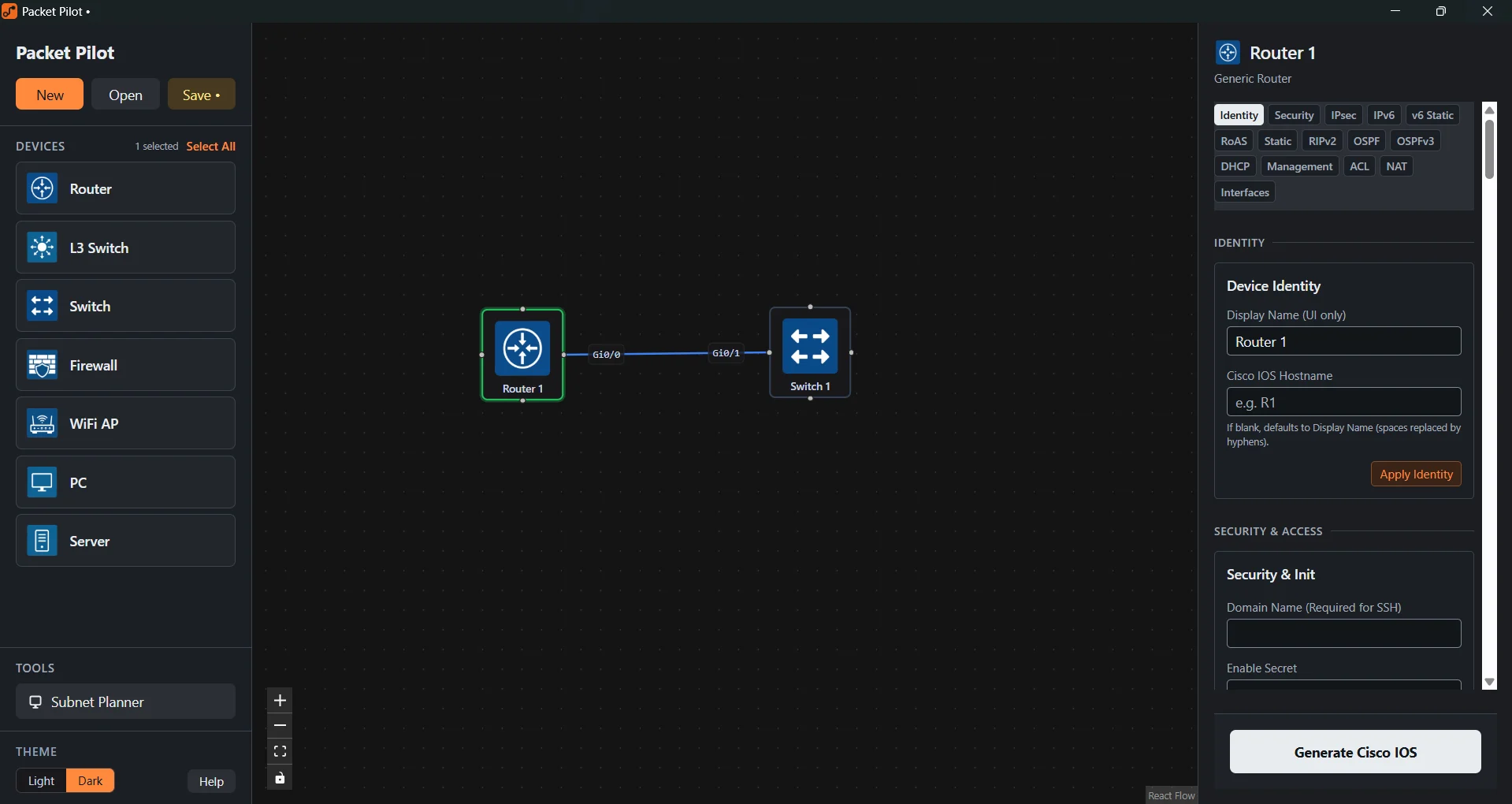
Device palette
The palette lists Router, L3 Switch, Switch, Firewall, WiFi AP, PC and Server, with a Subnet Planner under Tools.
-
Topology canvas
Router 1 and Switch 1 on the canvas, linked from Gi0/0 to Gi0/1.
-
Device configuration
The panel for the selected device, with sections for Identity, Security, IPsec, IPv6, Static, RIPv2, OSPF, OSPFv3, DHCP, Management, ACL, NAT and Interfaces.
-
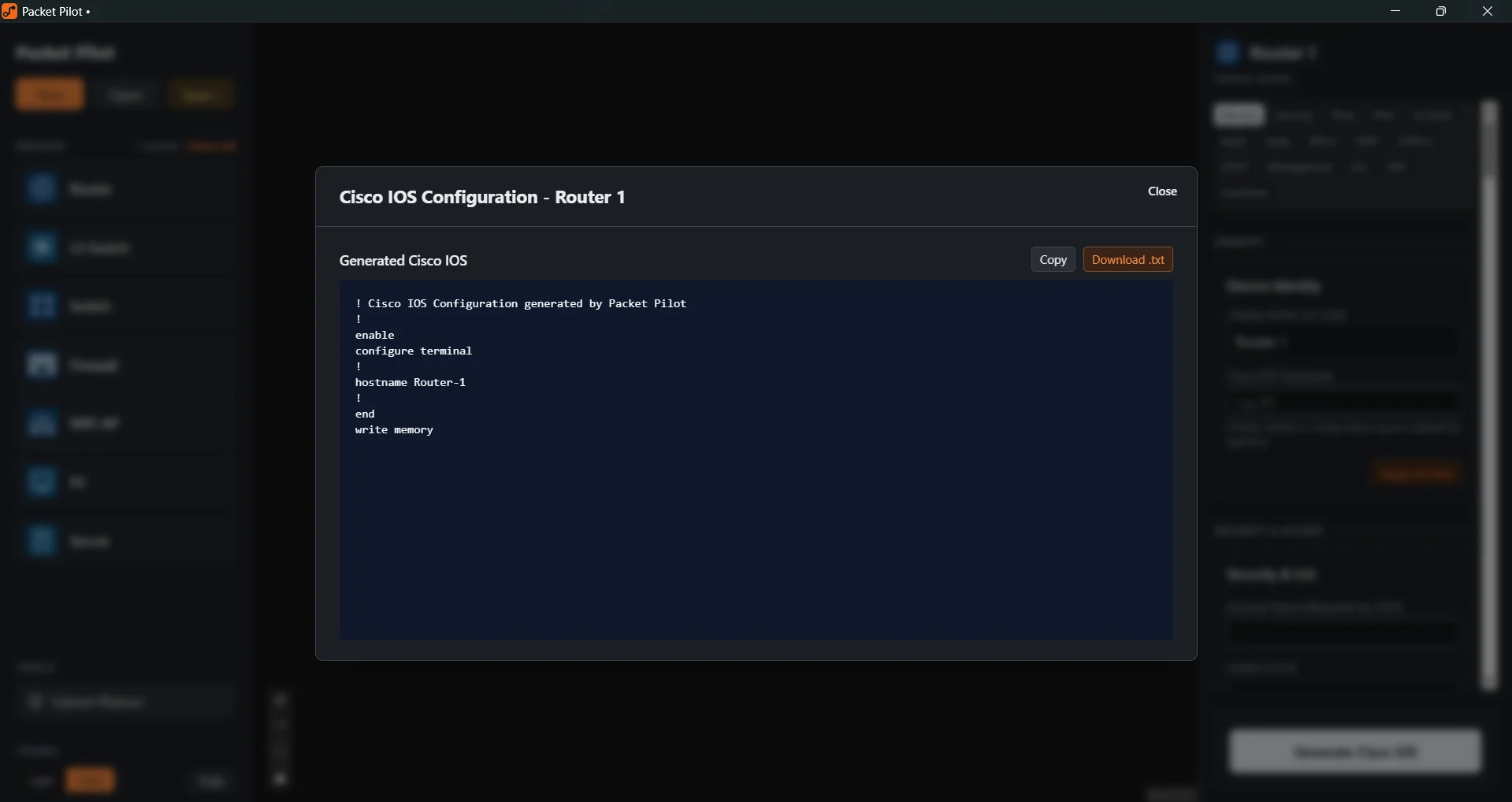
Generated configuration
The configuration generated for Router 1, with Copy and Download .txt.
Purchase a Licence
Licence keys are requested by direct email.
Questions about the beta: support@episteq.com
Support: support@episteq.com
Please put [Packet Pilot] in the subject.